
THE PLATFORM
Scanners count findings. Attackers walk paths. RedRok proves the path and breaks it.
Four AI agents build one live attack graph of your estate, from outside, inside and the dark web. Every center in the platform answers the two questions that decide your security program.
The four agents
-
01 · OUTSIDE
External Agent
Attack surface with no credentials: shadow IT, exposed services, live edges.
-
02 · INSIDE
Internal Agent
Vulnerabilities, AD and network misconfiguration, privilege and cached credentials.
-
03 · DARK WEB
CTI Agent · RedPool
Leaked credentials, stolen sessions and broker listings from our own feed.
-
04 · THE GRAPH
Attack Path Agent
Chains the other three and proves each path end to end, with evidence.
PLATFORM ARCHITECTURE
From collection to decision, on one contextual graph
Tools and skills feed agents. Agents feed an ontology that binds every finding to the asset it sits on. The reasoning layer turns that graph into the two answers your board asks for.
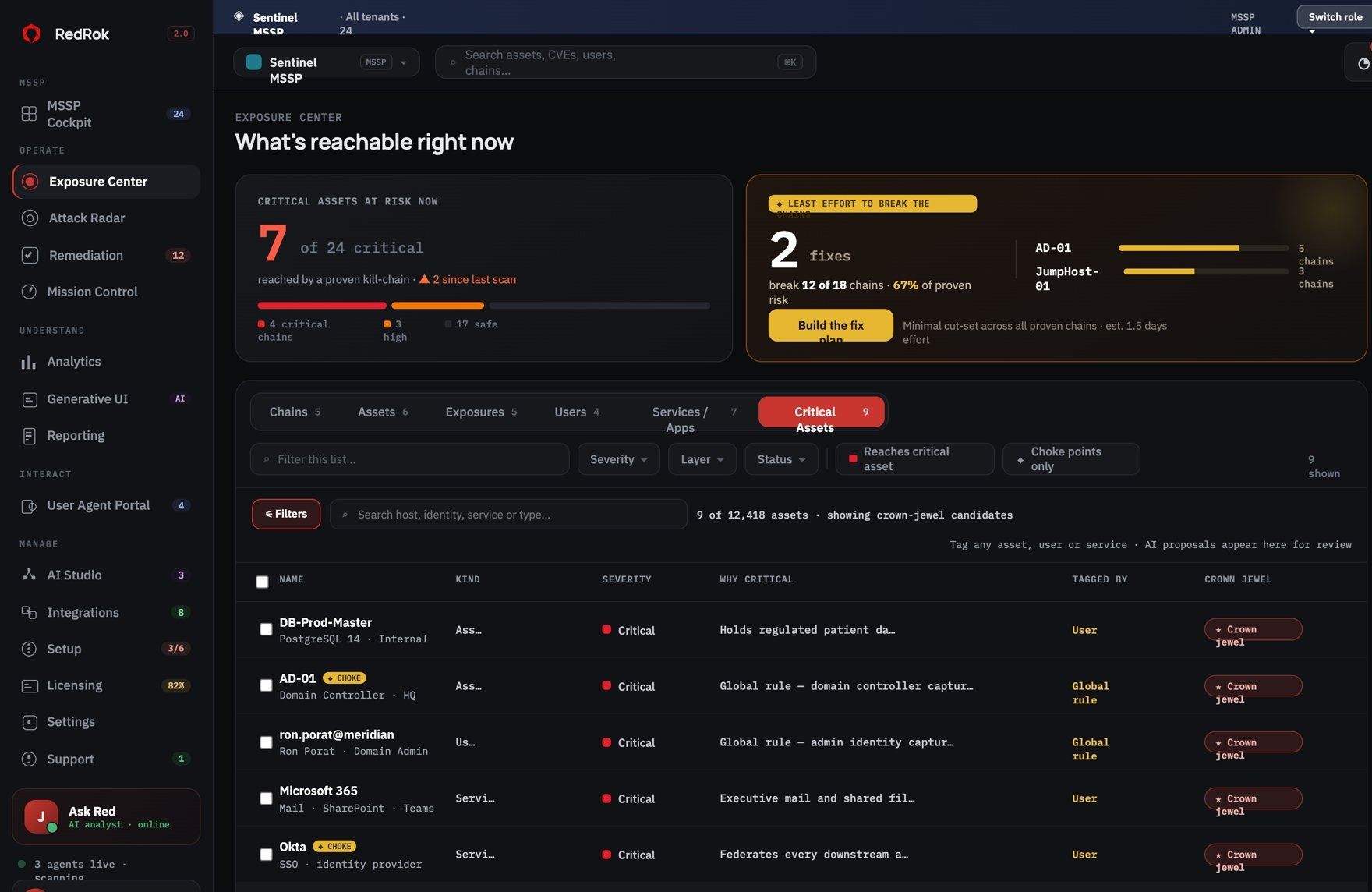
01 EXPOSURE CENTER
What is reachable right now.
One proven attack graph, seen from six angles, so the analyst, the identity owner and the app owner each start where their work lives.
- Chains, Assets, Exposures, Users, Services and Critical Assets views
- Crown jewels tagged by you, by global rule, or proposed by AI
- Choke points flagged on every chain that crosses them
02 ATTACK RADAR
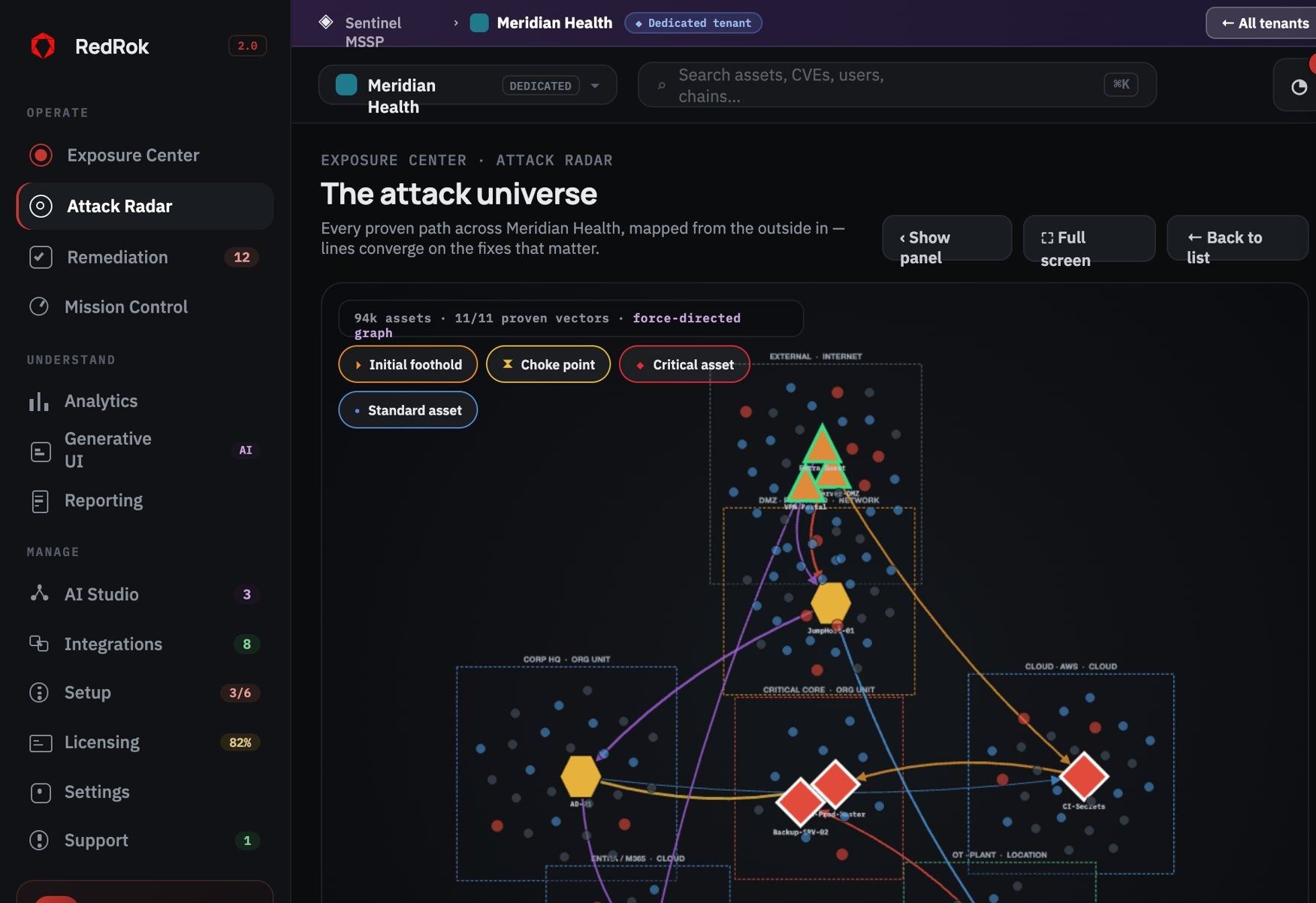
The attack universe, mapped outside in.
Every proven path across the estate on one radar. Lines converge on the few nodes that matter, so choke points are visible at a glance.
- Footholds, choke points and critical assets marked by shape
- Edges coloured by tactic: identity, CVE, privilege, lateral, secrets
- Drill into any device to see how it was reached
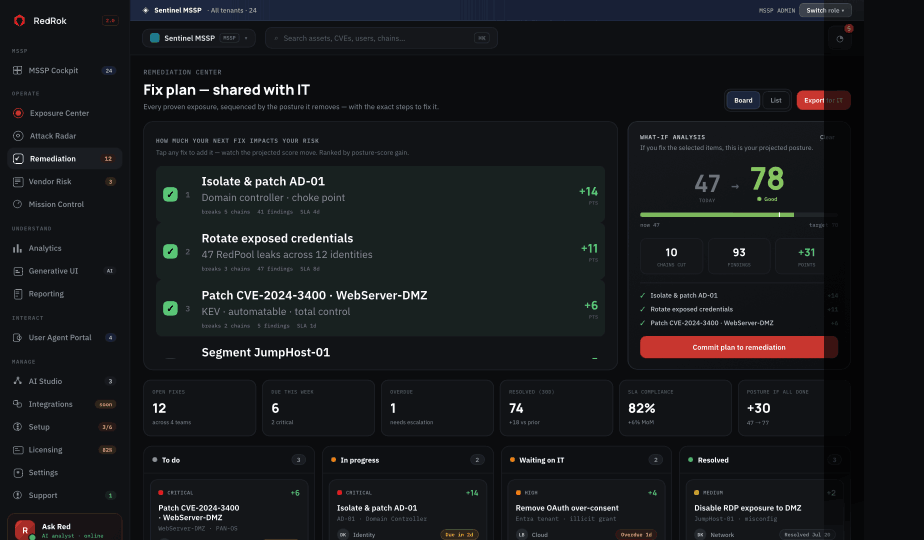
03 REMEDIATION CENTER
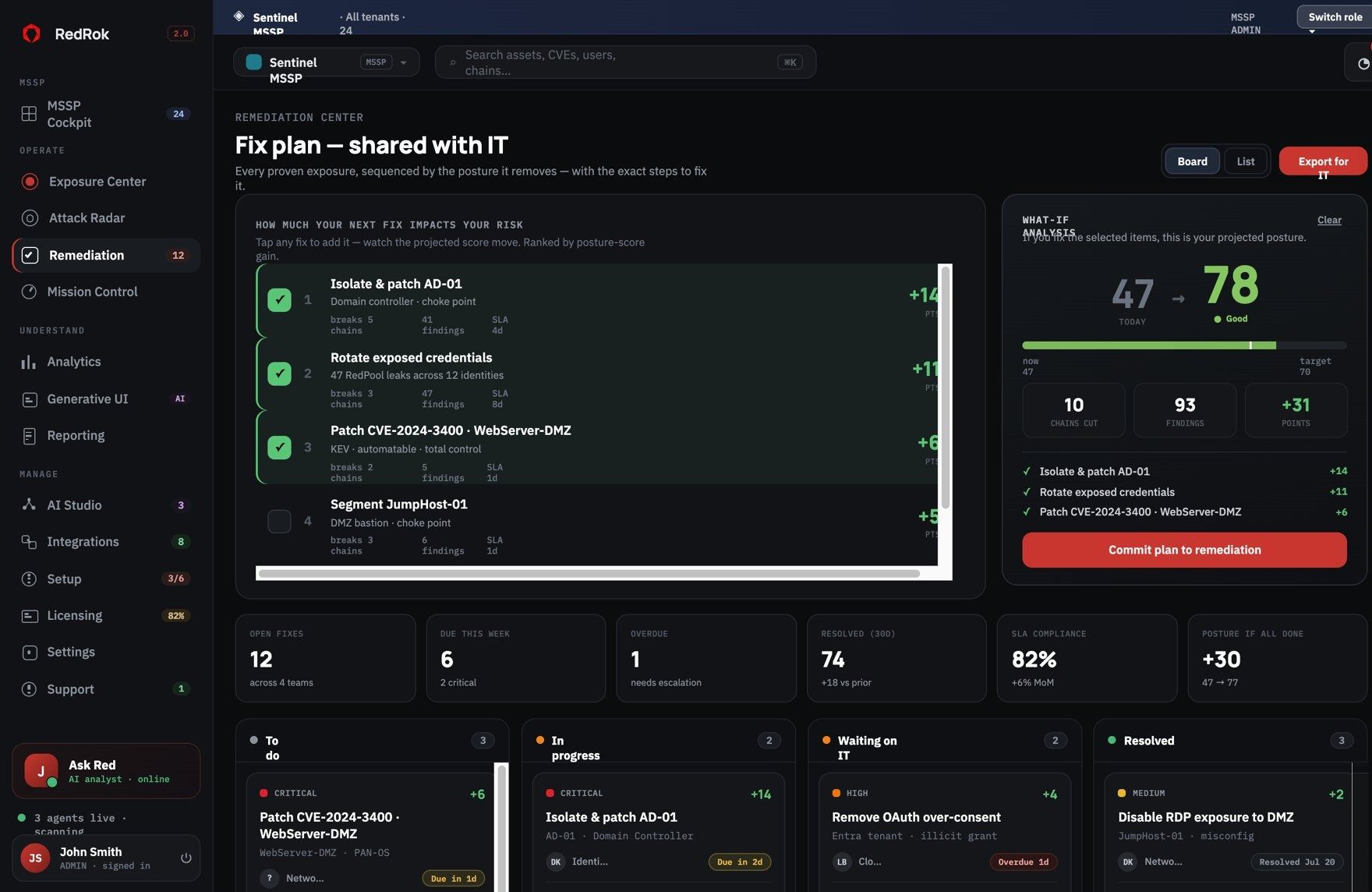
A fix plan ranked by the risk it removes.
Every proven exposure sequenced by posture gain, with exact steps for IT. Select fixes and watch the projected score move before you commit.
- What-if analysis: posture 47 to 78 in one plan
- Chains cut and findings closed shown per fix
- Commit the plan and export it to IT and ticketing
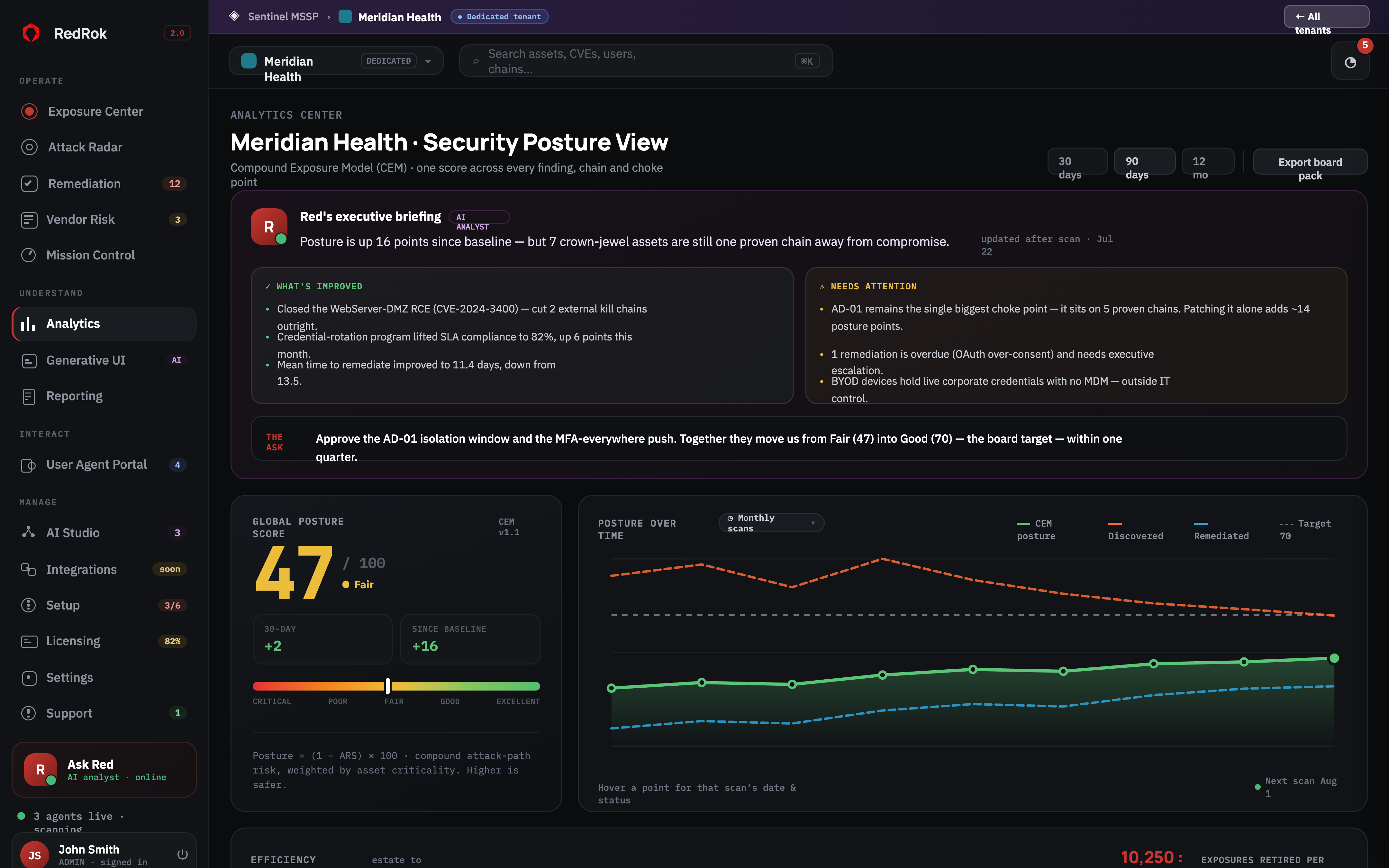
04 ANALYTICS CENTER
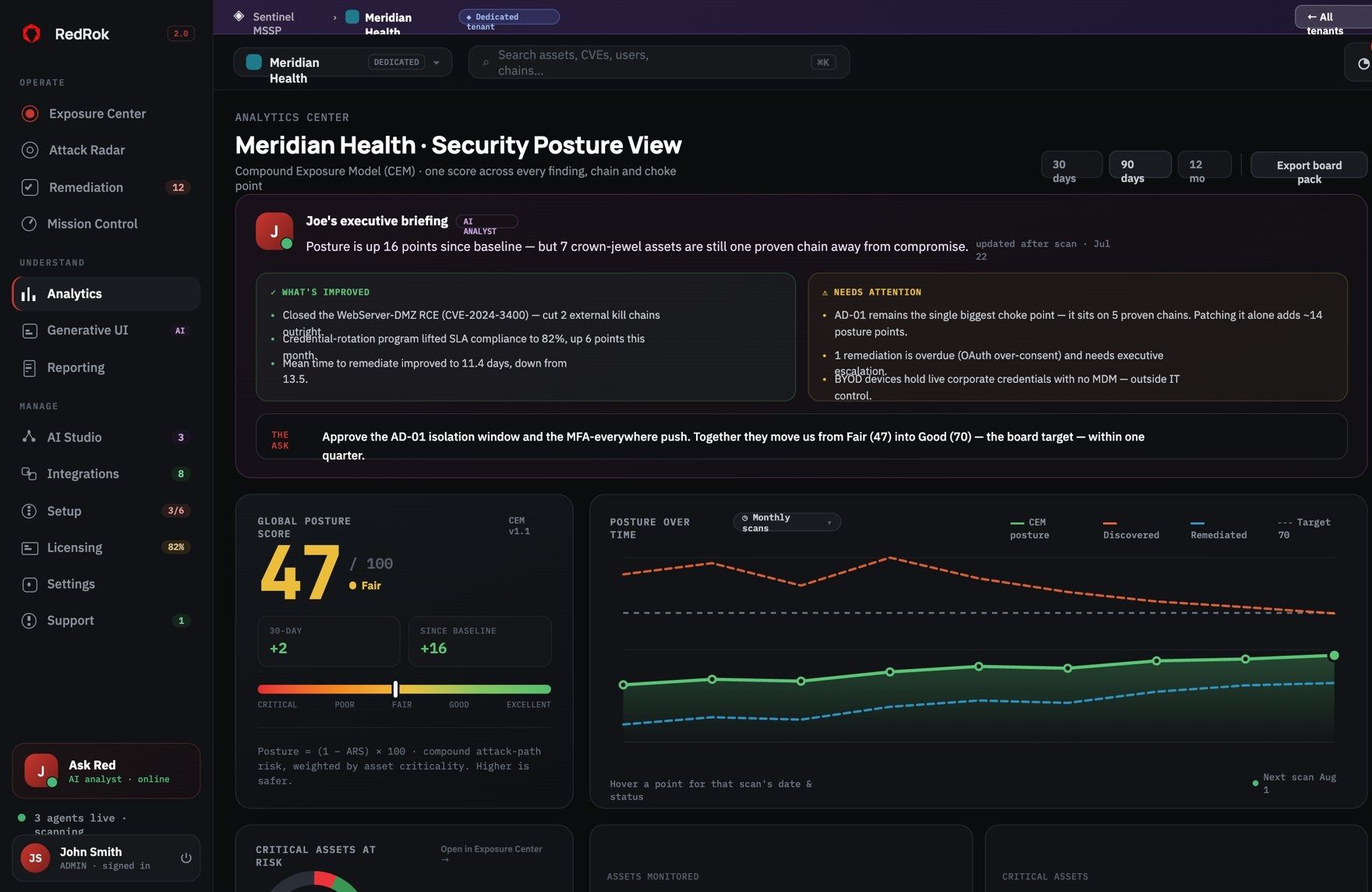
One posture score the board understands.
The Compound Exposure Model turns every proven chain into one score, weighted by asset criticality, with an AI analyst briefing on what changed.
- Global posture score and trend against the board target
- Executive briefing: what improved, what needs attention
- 30, 90 and 12-month views, exportable board pack
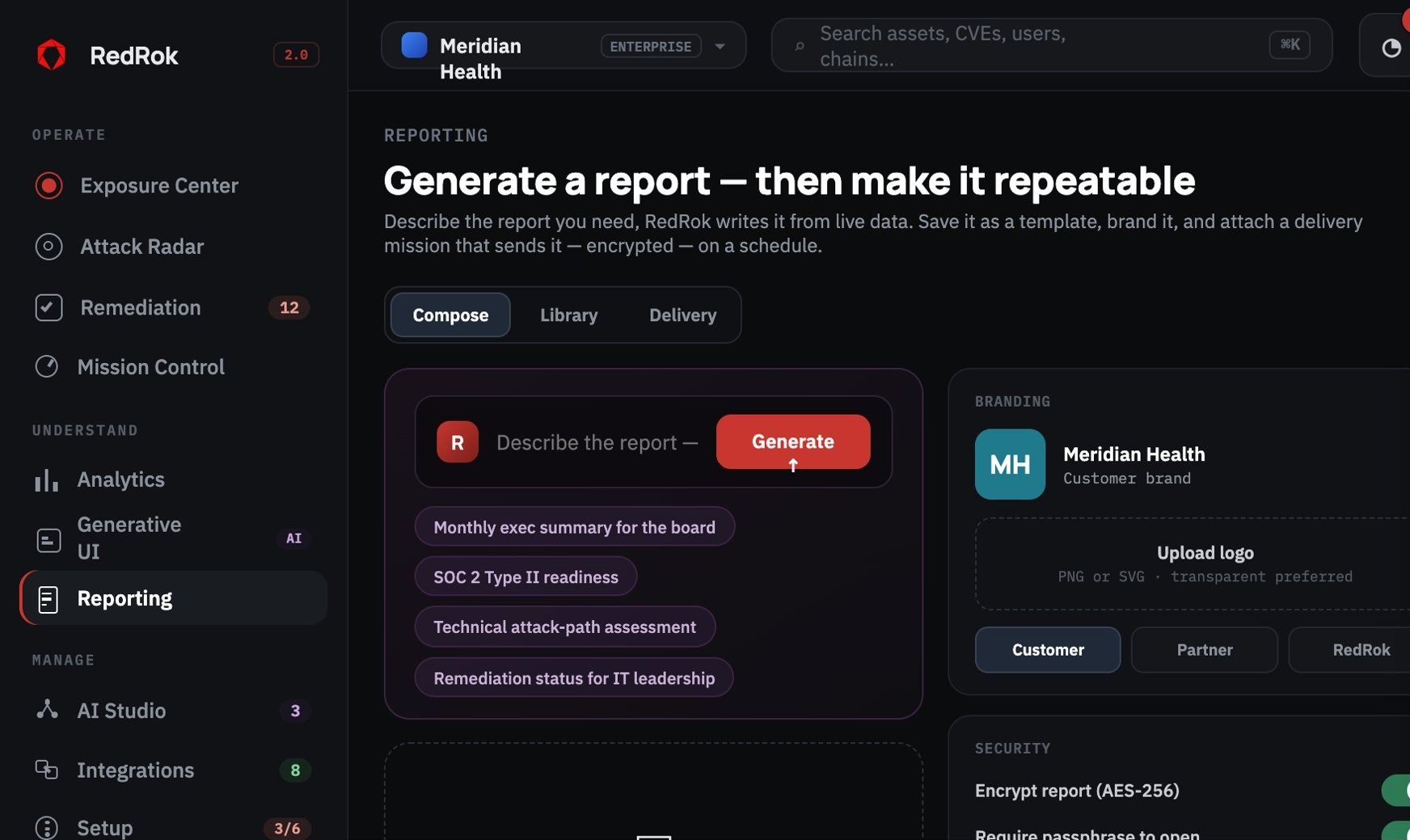
05 REPORTING
Generate a report, then make it repeatable.
Describe the report you need and RedRok writes it from live mission data, branded and delivered encrypted on a schedule.
- Board summaries, SOC 2 readiness, technical attack-path reports
- Your brand, or your client brand for MSSPs
- Encrypted delivery with a one-time link
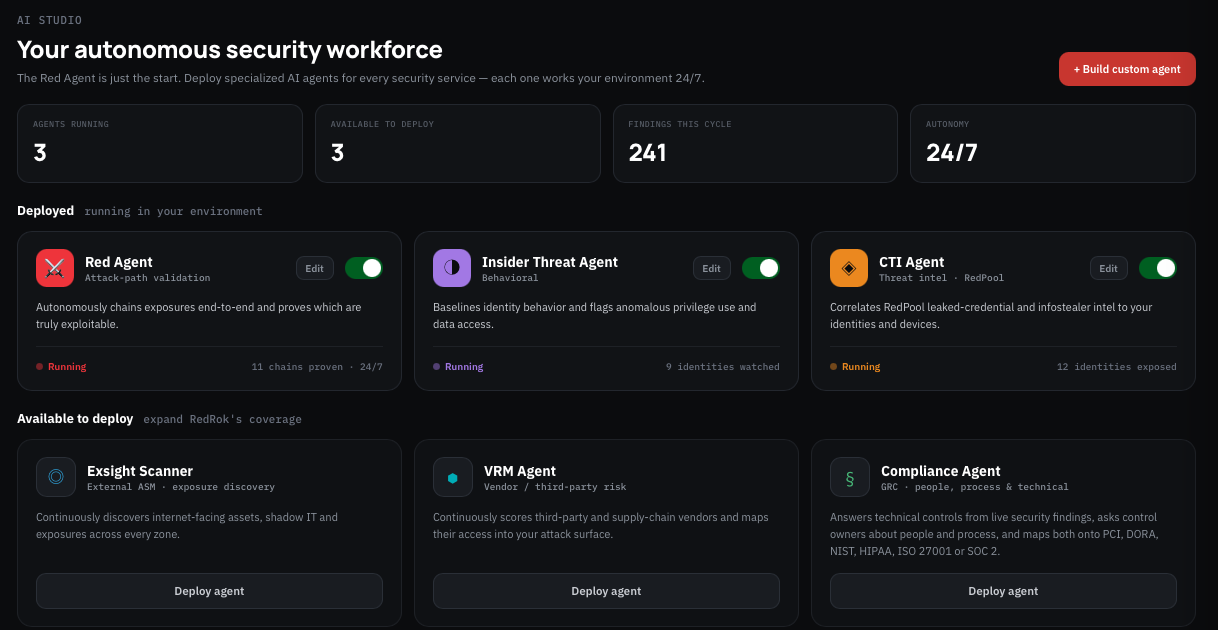
06 AI STUDIO
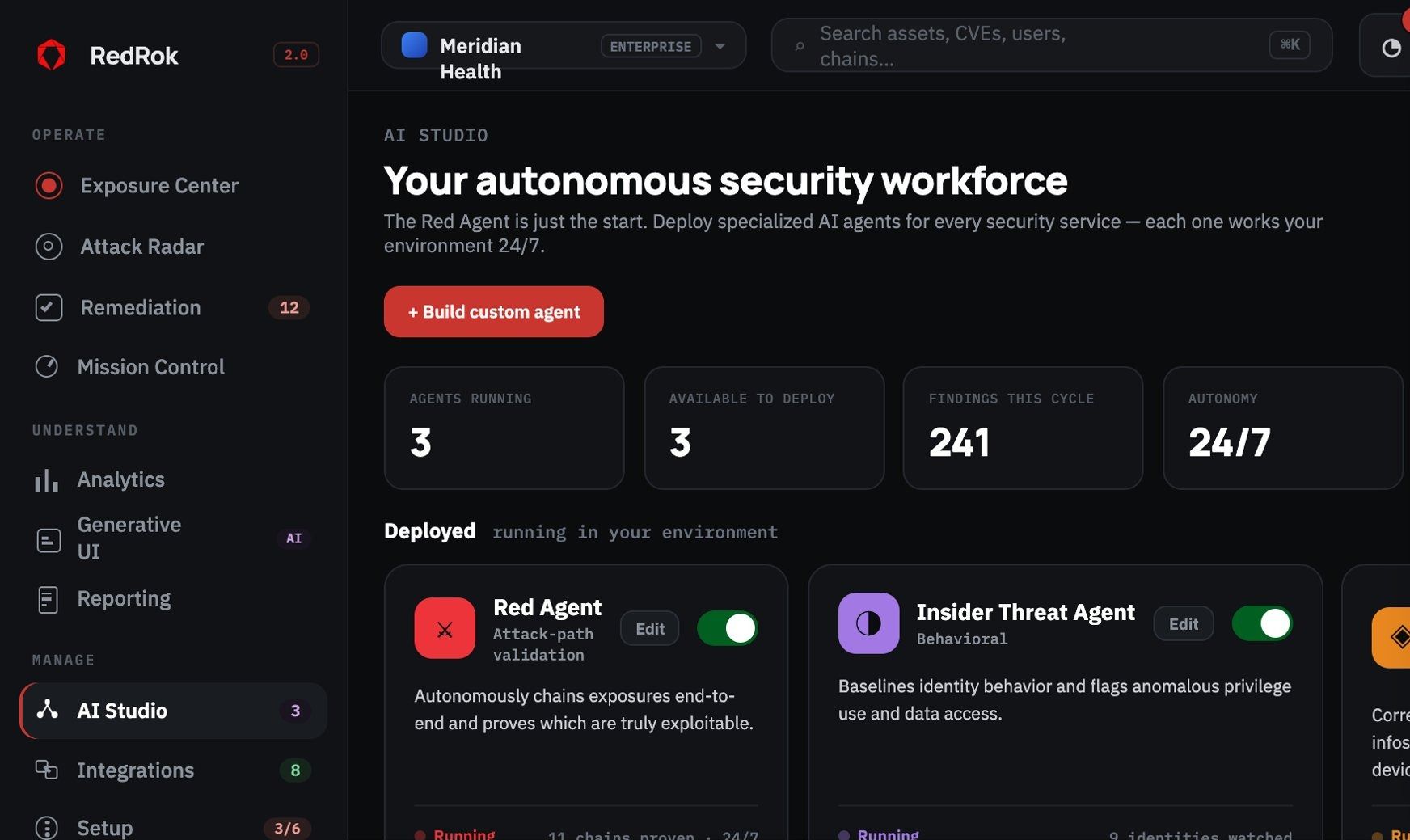
Your autonomous security workforce.
Deploy agents built by RedRok, published by partners on the marketplace, or custom-built for a process only you run.
- Red Agent, CTI Agent, Insider Threat Agent and more
- Marketplace agents, metered under the same licence
- Every agent runs inside a mission you scope and schedule
Safe by design
- Passive only
- Read-only queries
- Nothing written to your estate
- Missions you scope and schedule
- Tenant isolation
See your first proven attack path in under an hour.
A 30-minute demo, then a scoped pilot on one business unit.
PRODUCT WORKSPACE
Inside the RedRok workspace.
Explore the RedRok workspace. Screens show illustrative data. Select an image to inspect it at full size.
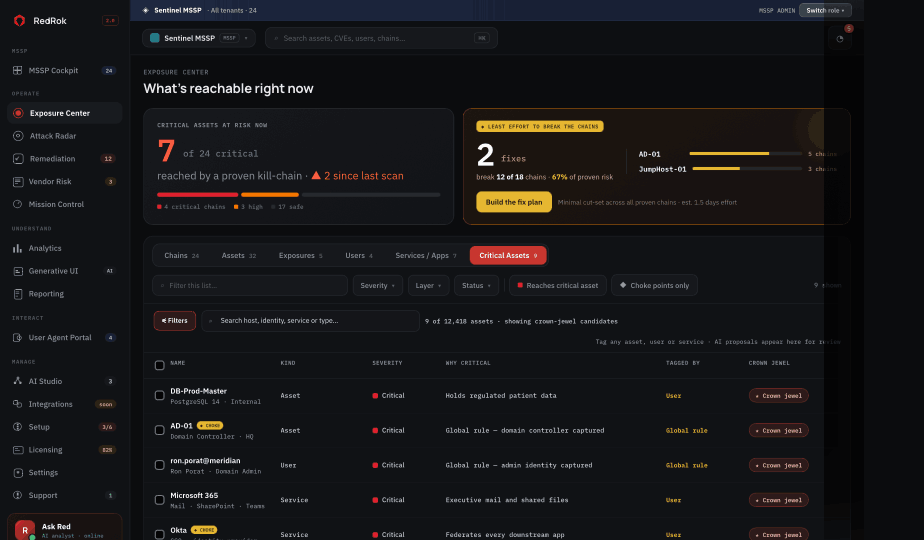
Exposure Center
See exposures in the context of reachable attack paths.
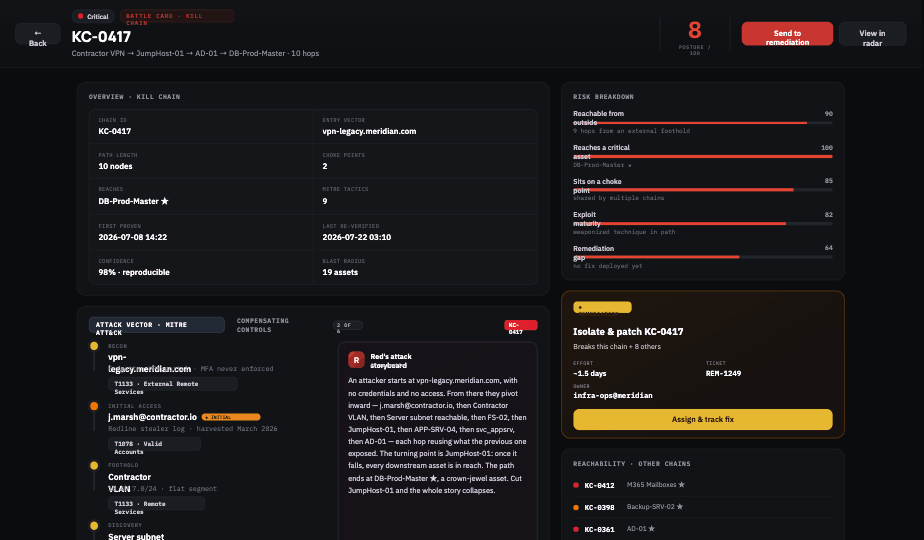
Attack chain detail
Review the evidence and context of an individual chain.
Remediation Center
Prioritize fixes and review their expected effect.
Analytics Center
Follow posture and remediation progress over time.
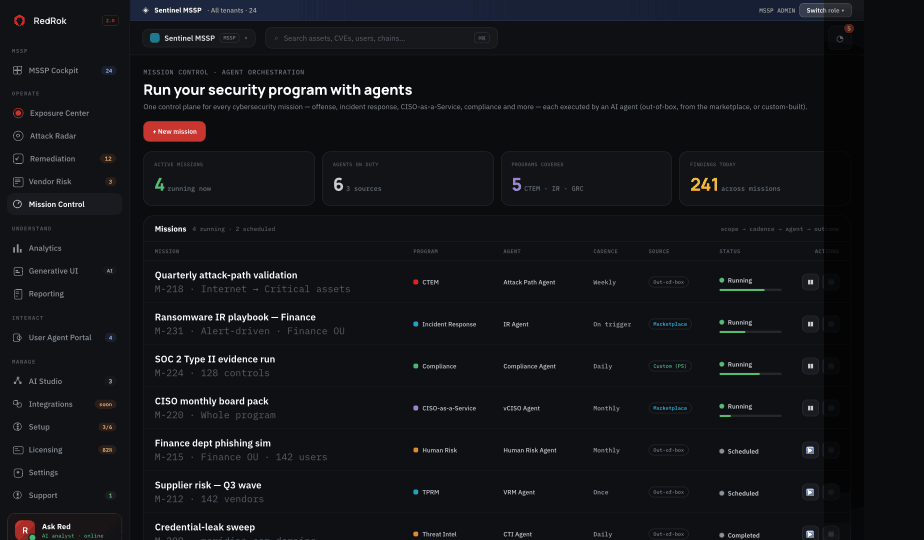
Mission Control
Coordinate the security program in one workspace.
AI Studio
Explore agent workflows and available capabilities with your RedRok team.